
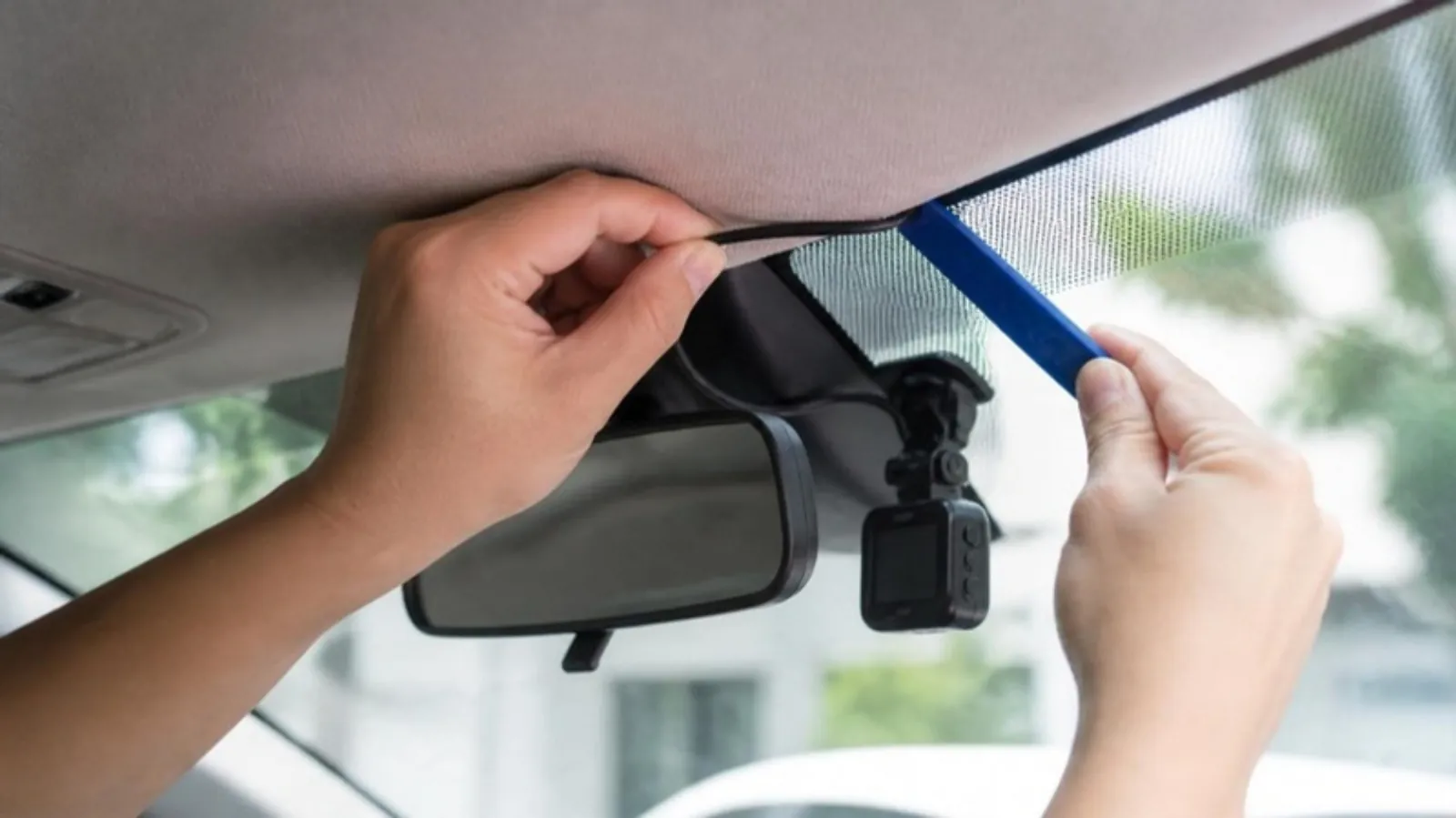
A clean install takes about an hour with a plastic trim tool. Where to mount each camera, how to route the cable around airbags, and when to use a fuse tap.
Short answer: mount the front camera behind the rear-view mirror, the rear camera at the top of the rear glass, and tuck the cables into the headliner and trim. Keep cables behind or clear of the curtain airbags, never across them. Use the 12V socket for driving-only recording, or a hardwire kit for parking mode.
What you need
• The camera, its rear camera and cables
• A plastic trim tool, or a sturdy plastic card
• Alcohol wipes to clean the glass
• A few cable clips or tape
• For parking mode: a hardwire kit, fuse taps and a test light or multimeter
1. Plan before you stick
Power the camera in the car first and hold it in place to check the view on its screen or app. The lens should see the road with a little hood at the bottom of the image. Clean the glass, then press the mount firmly.
2. Route the front cable
Push the cable into the gap between the headliner and the windshield, across to the passenger side. Many A-pillars hide a curtain airbag. Do not lay the cable over its face or tie it to the airbag; route it behind the airbag along the existing wiring, or down the weather seal by the door. If you cannot see the path, an installer is worth it.
3. Mount the rear camera
Place it at the top center of the rear glass, avoiding the defroster lines under the adhesive. Run its cable along the headliner. On an SUV or hatchback, pass it through the rubber tube between the roof and the liftgate, and leave enough slack for the hatch to open fully. Connect both cameras and check both images before you close any trim.
4. Choose the power source
• 12V socket: the simplest. Check that your socket turns off with the car; an always-on socket keeps the camera running with no protection for the battery.
• Hardwire kit: needed for parking mode. Find a fuse that is live only with the ignition and one that is always live, use the right size fuse tap, and ground to bare metal. Avoid airbag and engine fuses. See our parking mode guide.
5. Final check
Set the date and time, format the card in the camera, and drive a few minutes. Watch a clip from both cameras before you call it done.
Our 2K Front and Rear Dash Cam and 4K Front and Rear Dash Cam both come with the rear camera and cable. Compare them on our comparison page.
Frequently asked questions
How long does an install take?
About 30 minutes for a front camera on the 12V socket, and about an hour with a rear camera.
Will hiding the cable void my warranty?
Tucking a cable into trim does not cut anything. For hardwiring, ask your dealer or use an installer.
Where should a rear camera go on a pickup?
Usually on the rear cab window, centered. Keep it clear of the sliding section if your truck has one.
Sources
• BlackboxMyCar: dash cams and airbags
• BlackboxMyCar: installing a rear camera on an SUV or hatchback
• BlackboxMyCar: add-a-fuse setup
• Thinkware: how to install a rear-view camera