
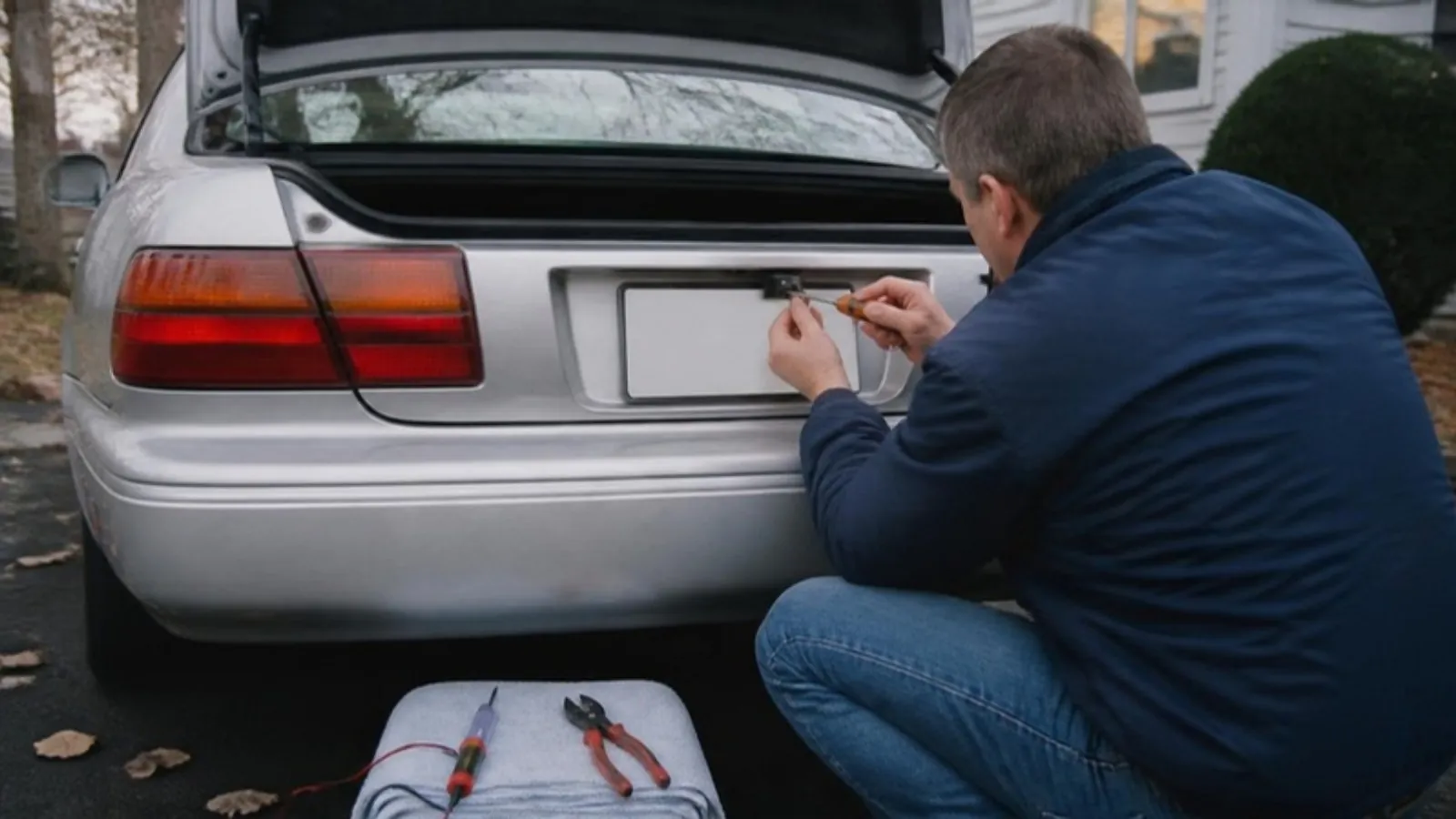
Add a wireless backup camera to a pre-2018 car: mount it at the plate, find the reverse wire with a test light, power the monitor, pair it, set the lines.
Short answer: Mount the camera on the license plate, power it from the reverse light wire so it switches on when you shift into reverse, and plug the monitor into the 12V socket or a switched fuse. Most wireless kits come paired from the box. Plan on an afternoon, a test light and a few crimp connectors.
Why older cars are worth the upgrade
In the US, NHTSA's rear visibility rule requires new vehicles under 10,000 lb (4,536 kg) gross weight to show the driver a 10 by 20 foot zone (about 3 by 6 m) behind the vehicle when in reverse. Full compliance kicked in for vehicles built on or after May 1, 2018. NHTSA estimated that backover crashes cause about 267 deaths and 15,000 injuries a year, and that children under 5 make up about 31% of those deaths.
Canada adopted the same requirement. Transport Canada's amendment (SOR/2017-231) applies to new light vehicles of 4,536 kg (10,000 lb) or less manufactured on or after May 1, 2018. The Canadian analysis estimated 24 to 27 backover deaths and roughly 1,500 injuries a year (2004 to 2009 averages).
Both rules apply to vehicles as they are built. Nobody is asking you to retrofit a 2012 sedan. If your car predates the rule, a wireless camera gets you much of the same view for far less than a new car. Rules on where you can mount screens and what can sit near your plate vary, so check your state or province.
What you need
• The camera and monitor kit
• A 12V test light (cheap, and it saves you guessing)
• Wire strippers, crimp connectors or solder, and heat shrink tubing
• A screwdriver, zip ties and electrical tape
Step 1: Mount the camera at the plate
Most kits mount on the top edge of the license plate using the plate's own screws. It sits near the centerline, so the view is balanced.
• Remove the top plate screws, slide the camera bracket behind them, and reinstall.
• Do not cover the plate numbers, the registration sticker or the plate light.
• Tilt the camera so the top of the image shows a bit of the road and the bottom shows a sliver of your bumper. The bumper edge is your reference point when parking.
Step 2: Find the reverse light wire with a test light
Wiring the camera to the reverse light means it only runs when you're backing up. To find the right wire:
• Open the trunk or hatch trim and get to the back of the taillight that holds the reverse bulb.
• Clip the test light's ground lead to bare metal, like a trunk latch bolt.
• Turn the ignition on, hold the brake, and shift into reverse. Set the parking brake too.
• Probe each wire at the taillight connector. The reverse wire lights the tester in reverse and goes dark when you shift back to park.
• Check it twice. The brake light wire will also light up while your foot is on the pedal, which is the classic mistake.
Tap the camera's red lead into that wire and run the black lead to a solid chassis ground. Crimp or solder, then seal it with heat shrink. Trunk wiring sees moisture and salt all winter. A corroded splice is the usual reason a camera flickers in January.
Step 3: Power the monitor
You have two options. The easy one is plugging the monitor into the 12V socket. The cleaner one is hardwiring it to a fuse that only has power with the ignition on, so it can't drain the battery overnight. If you go the fuse route, use an add-a-fuse tap and keep the factory fuse rating.
Mount the monitor low on the dash or near the mirror. Transport Canada's distraction guidelines say no part of an aftermarket display should block your view of the road, and it should stay out of any airbag path.
Step 4: Pair, test and tune out interference
Most kits come paired out of the box. Power everything up, shift into reverse, and the picture should appear. If it doesn't, use the pairing button or menu described in your manual, usually with the camera powered and close to the monitor.
If the picture freezes, stutters or drops:
• Check the camera's power first. A weak ground causes more "signal" problems than radio interference does.
• Move the monitor a little. Metal pillars, tinted windows with metal film and long vehicles all weaken the signal.
• Test it before you hide the wires and close up trim panels.
Step 5: Set the guidelines and use it right
Many monitors let you turn guidelines on and shift them. Park with a cone or box about 3 ft (1 m) behind the bumper and move the lines until the closest line matches it. Then lock the camera angle down.
A camera helps. It doesn't replace your head and mirrors. A US estimate cited by Transport Canada puts backup cameras at 28% to 33% effective at cutting backover crashes. That leaves a lot of room for driver error. Walk around the car first, check your mirrors, look over your shoulder and back up slowly. In winter, wipe snow and salt spray off the lens. A smeared lens at 20 °F (-7 °C) shows you mostly gray.
The gear we sell for this
Our Wireless Backup Camera with 7 in Monitor sends the picture wirelessly, so the only wiring is power for the camera and the monitor. If you'd also like a bigger screen with phone mirroring, the Wireless CarPlay Screen with Dash Cam pairs a 9.3 in dashboard display with a 1080p rear camera and a 2.5K front dash cam, and plugs into the 12V socket (US only). Our guide on installing a front and rear dash cam covers routing wires through trim.
Frequently asked questions
Do I need a backup camera on an older car by law?
The US and Canadian rules cover new vehicles manufactured on or after May 1, 2018. They are written for manufacturers. Check with your state or province for any local rules on aftermarket screens or plate mounted accessories.
Can I power the camera from the 12V socket instead of the reverse wire?
Some people do, but then the camera runs whenever the socket has power. The reverse wire makes the camera turn on only when you need it, and the monitor usually wakes up with it.
Why does my picture cut out on a long vehicle?
Wireless range drops through metal. On trucks, vans and SUVs with trailers, try moving the monitor higher or closer to the rear, and recheck the camera ground.
Sources
• Federal Register (NHTSA): Federal Motor Vehicle Safety Standards; Rear Visibility
• Canada Gazette: Regulations Amending the Motor Vehicle Safety Regulations (Standards 101 and 111), SOR/2017-231
• Transport Canada: Guidelines to Limit Distraction from Visual Displays in Vehicles